Team leads
“What did we decide?”
Find the context behind a plan before the next conversation.
 yuvin
yuvin
CONTEXT FOR THE WORK AHEAD
One place for your team’s knowledge, decisions and next steps. Ask a question. Follow the sources. Move work forward.
A quieter workspace. A clearer way forward.
YUVIN, ON YOUR DESKTOP
Bring Yuvin into your workday.
Choose Mac or Windows below.
yuvinIn the workspace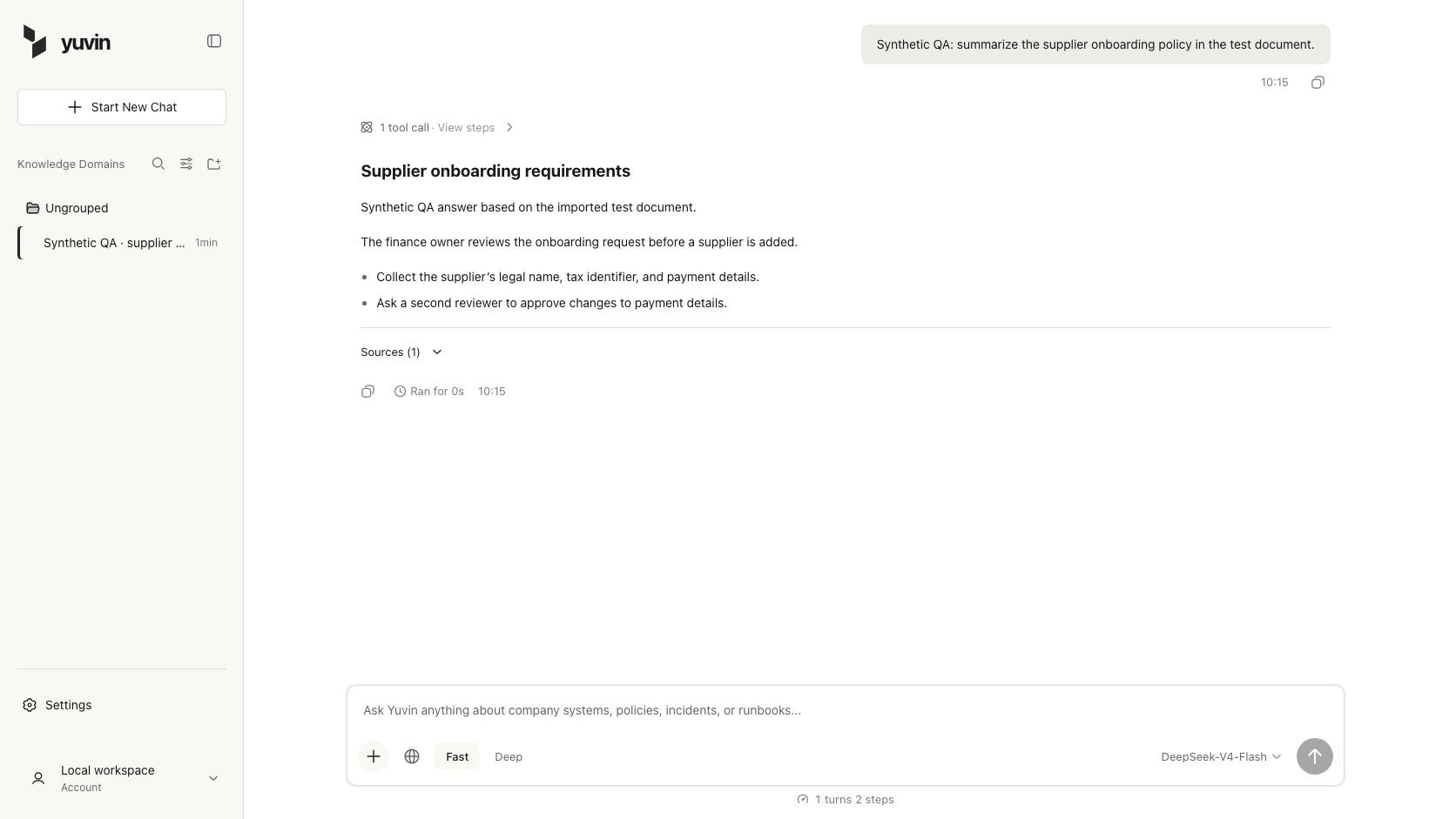
THE REVIEW
A finance owner reviews supplier onboarding.
THE RECORDS
Legal name, tax identifier, and payment details.
THE NEXT STEP
A second reviewer approves payment changes.
COMPANY CONTEXT, WITH LESS SEARCHING
A decision in a thread. A process in a document. A handoff explained again. Bring approved company material into a workspace your team can ask.
HOW IT WORKS
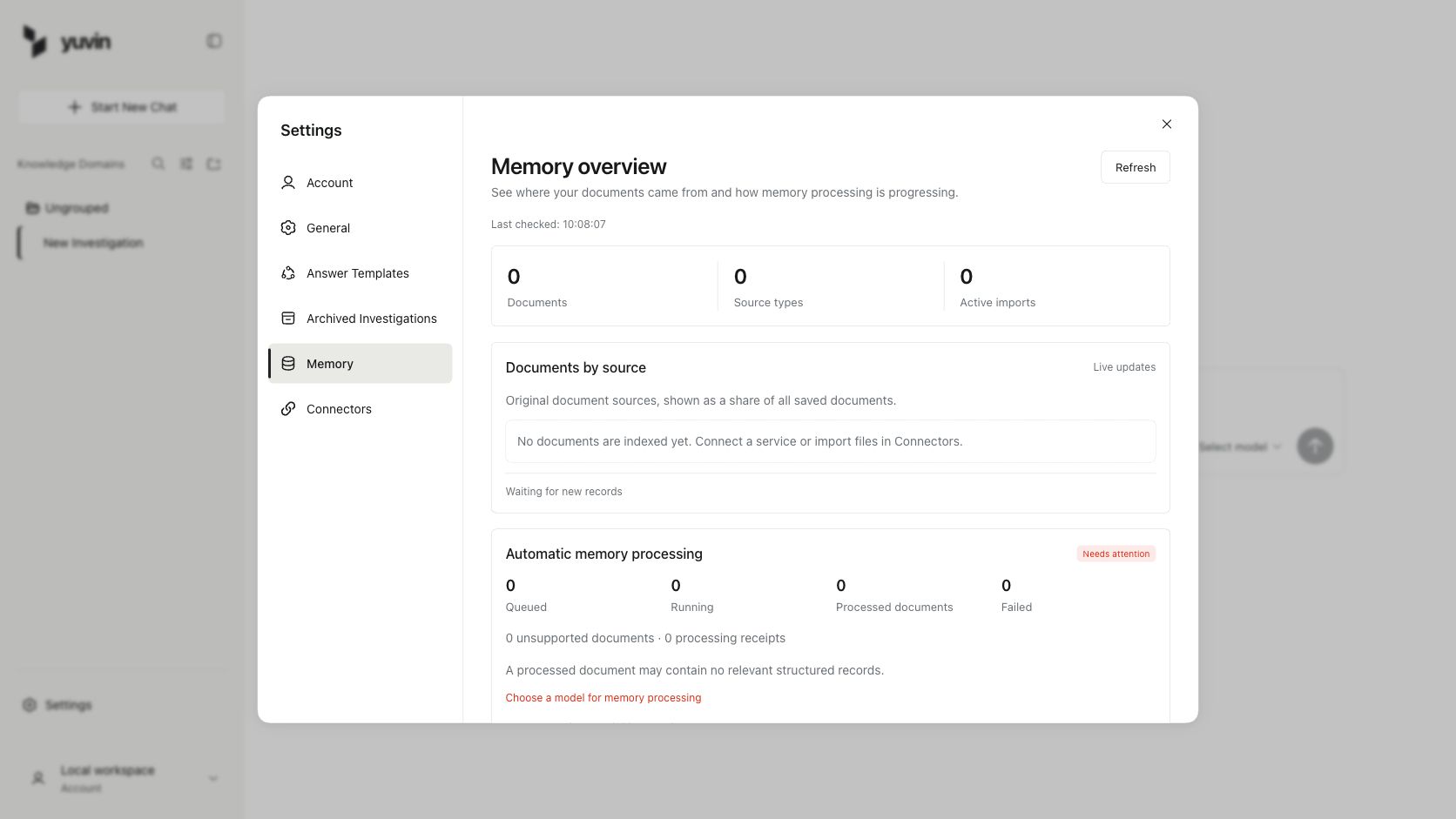
01 / KNOWLEDGE
Manage imported records and indexing status in Memory. This capture shows an empty workspace before sources are added.
View original captureActual product captures from an isolated QA workspace. The sample answer is synthetic; its test document was imported and opened through Yuvin.
FOR THE WORK IN FRONT OF YOU
Team leads
Find the context behind a plan before the next conversation.
Operations
Look for the owner and action recorded in company material.
New teammates
Find a starting point without repeating every handoff.
A SHORT WALKTHROUGH
A 32-second recorded walkthrough: import a document, ask a question, and read what Yuvin found.
Play the demoRecorded with an earlier interface · Fictional sample data

A FEW USEFUL DETAILS
A little context about Yuvin
and the examples on this page.
Yuvin is an AI workspace for company knowledge. It helps your team find decisions, processes, and next steps in indexed company records.
You can import files into company memory. Other connectors depend on provider configuration and workspace availability.
Yes. The images show the current Yuvin interface in isolated QA workspaces. The supplier-policy answer is a synthetic example with a genuinely imported test source. The recorded film shows an earlier interface with fictional sample data.
The Apple Silicon build works on Macs with an M-series chip. Check About This Mac if you are unsure. Intel Mac and Windows builds appear here when their installers are verified. This release is early access and is not notarized by Apple.
It opens the Yuvin account website, where you can sign in and approve pairing with your Yuvin app. The app requires a verified account before workspace access.
Bring the context closer.
Give your team a place to ask.